Motion Design Studio
- Overview
- Module 1: Kinetic Logo and Loading Animation
- M_1 Assignment 1 / M_1 Assignment 2 / M_1 Assignment 3
- Module 2: Themescape
- M_2 Assignment 1 / M_2 Assignment 2 / M_2 Assignment 3
- Module 3: Animated Infographic
- M_3 Assignment 1 / M_3 Assignment 2 / M_3 Assignment 3
- Module 4: Updated Demo Reel
- Reading List and Reference
- Course Syllabus
Course Description
This course introduces students to motion graphics, kinetic typography, and broadcast and web animation.
Upon completing this course, students should understand the necessary design process involved in conceptualizing, designing, and producing motion graphics for web and broadcast delivery. Students will gain experience in designing and creating motion graphic animations, manipulating video and audio assets, and gaining experience with the language of animation and short-video storytelling.
Student Learning Outcomes
- Demonstrate skills in the use of industry-standard tools to create motion graphics from various static sources.
- Recognize and define common animation techniques, motion principles, and theories.
- Apply animation techniques and motion principles to simulate realistic movement and create motion graphics based on current industry trends and practices.
Course Outline
- Mastering Adobe After Effects
- Kinetic Logo and Loading Animation
- Themescape Animation
- Animated Infographic
- Demo Reel
Getting Started | Mastering After Effects
This course focuses on animating using motion design. Motion design differs from classic or traditional animation in that drawing frame by frame is considered the traditional art form. Whereas motion design animation works by manipulating vector and rasterized art to create and tell a story
The primary tool we will be using in this course is Adobe After Effects, and before we can focus on the design process, let’s get comfortable with the program.
Adobe After Effects, one of the most powerful creative tools in history, is an industry-standard tool for video compositing, motion graphics design, and animation.
After Effects uses various tools, coding, and user input to manipulate the media being used in a project. With AE, you can move, twist, scale, rotate, and much more to transform your images and videos.
The different types of animations you can create in AE:
- 2D Vector Animation
- Basic 3D Animation
- Character Animation
- Kinetic Typography
- UI/UX mock-up animations
- Visual Effects
As with all animation and design software, learning hotkeys and shortcuts makes navigating the program faster and more efficient. Download this handy guide: After Effects Hotkeys, Shortcuts, and Tips.
Complete the following LinkedIn tutorials, to access them, login with your ECU credentials:
- After Effects 2021 Essential Training Mark Christiansen 1h 48m (This one is optional if you are already familiar with AE)
- After Effects CC Essential Training: Motion Graphics Alan Demafiles 4h 17m
- After Effects: Principles of Motion Graphics Ian Robinson 1h 21m
Check out the School of Motion for some awesome and more specific tutorials and AE tips and tricks!
More AE resources:
Module 1 | Kinetic Logo and Loading Animation
Begin by selecting a multiple part logo for a company.
Create a loading animation and an animated logo for your chosen company.
For the animated logo, design a motion sequence that has the logo animate onto the screen in pieces, assemble, pulsate there in some fashion for a few seconds and then fly out differently from its entry. The animation must include sound effects.
Logo Download Resources
Article about loading animations
Everything You Need to Know a About Loading Animations
Loading animation inspiration
- 32 Creative Loading Animations That Are Worth the Wait
- Captivating Geometric GIFs by Florian de Looij
- Dots
Animated Logo examples
- 105 Cool Animated Logos for Your Inspiration
- CITM TV – Logo Bumper
- MetaLab Logo Bumper
- Video Bumper Factory
- MUCH Bumpers
- Picturelab Logo Bumpers Demo Reel
- Vimeo Logo Bumper Channel
Assignment 1 | Storyboard
Storyboards are a vital part of the creative and production process. In addition to animation, they are used for everything from live-action films to motion graphics to keynote presentations.
Storyboards are used to visualize an action before many hours are spent producing and finalizing the animation. They are an outline of the action and are used to develop a strong visual story, spot weaknesses in plot or timing, or essential missing elements or shots.
Storyboards are much like comic books. You show the ‘key’ frames of animation while the action between frames is completed in the viewer’s mind. You can write in sound effects or use arrows to add emphasis to or illustrate actions. You should also write in narration below each frame to explain what kind of action is taking place.
Storyboards should start rough as pencil sketches or basic shapes because they will likely be changed. Once you have a more final structure, the storyboard is developed into a series of style frames.
Usually, when you are pitching a project idea to a client, you will show these more final style frame storyboards.
Start loose, preferably by sketching. But you can also use basic shapes and text in Photoshop and Illustrator. Don’t spend hours on each frame. The finalization will come later. Show ‘key’ frames, like a comic book. The action will be completed in the mind of the viewer.
Write descriptive narration under each frame to explain what kind of action is taking place. Use words like Zoom, Fade, Crossfade, Shrink, Grow, Pan left, Pan right, Pop, Flip, Spin, Float, Hold, etc.
Use arrows, if you like, to show the direction of the action.
Final storyboards should be digital and in the correct aspect ratio. Final boards should be a graphic representation of how your video will unfold, shot by shot, consisting of several squares in the same aspect ratio as the intended video (generally, 16:9 aspect ratio, meaning the width of the frame is about 1.78 times that of the height of the frame). They should have illustrations representing each shot and notes about what’s going on in the scene.
Assignment
- Create at least two rough storyboard versions for your animated logo
- Create at least two for your loading animation
- Select one version of your logo and one version of your loading screen to finalize.

Student Work Examples | Storyboards
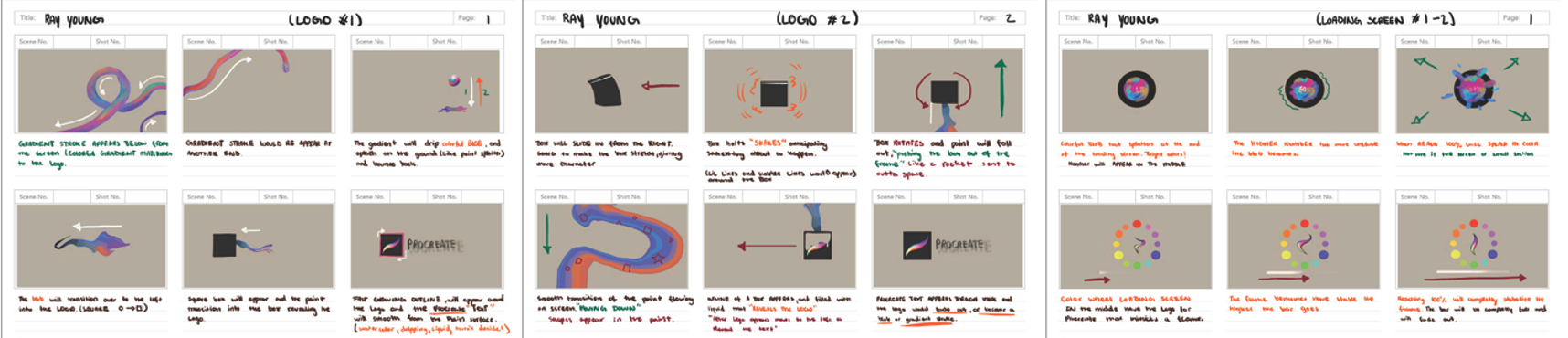
Young | Procreate
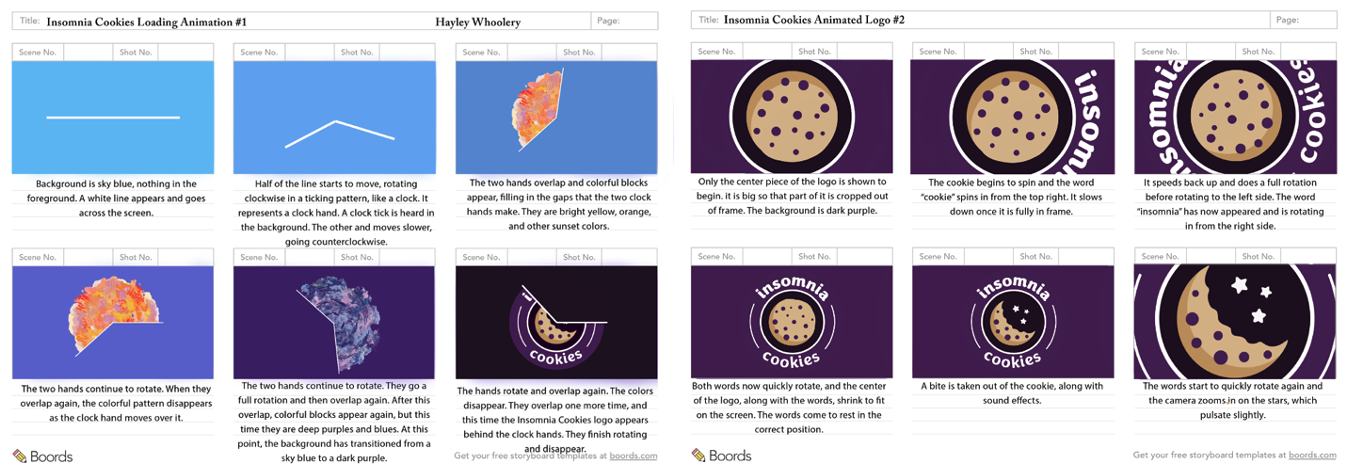
Whoolery | Insomnia Cookies
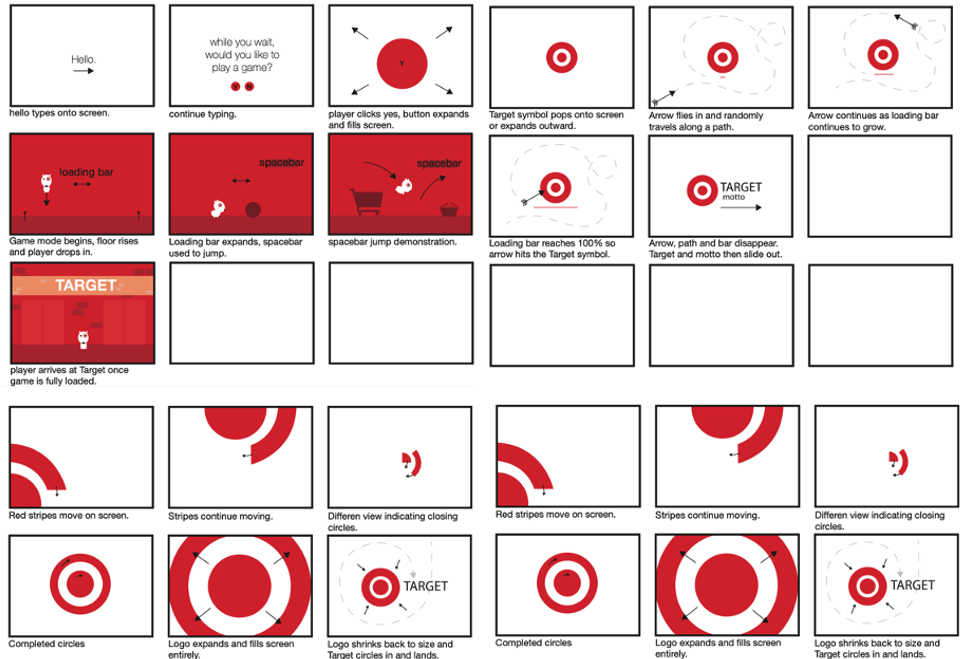
Garza | Target
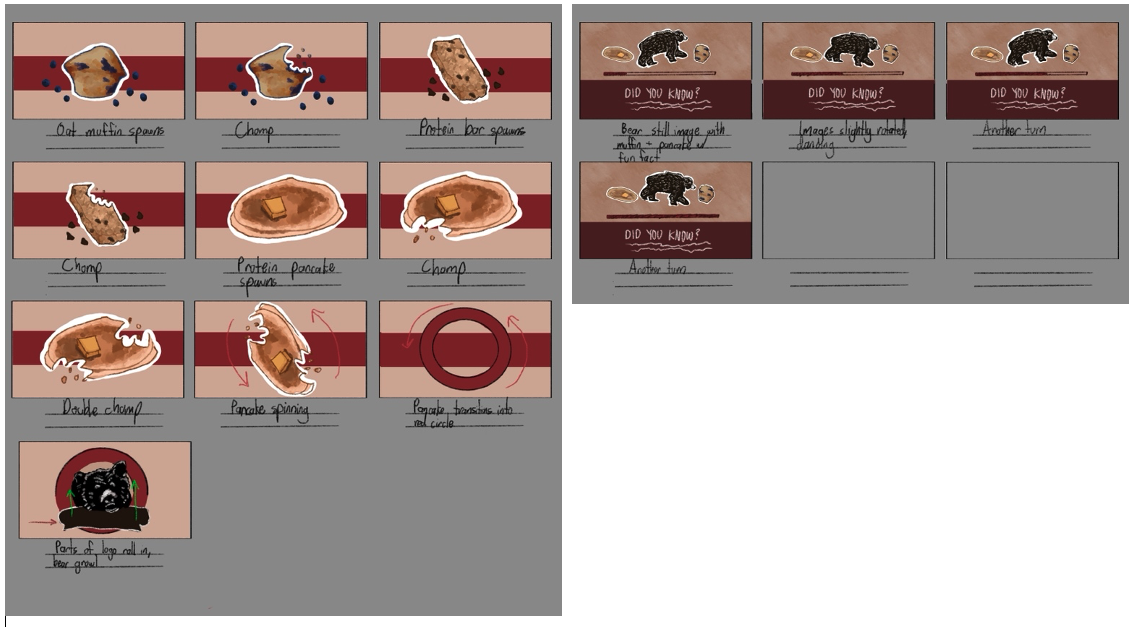
Baldwin | Kodiac Cakes
Assignment 2 | Style Frames
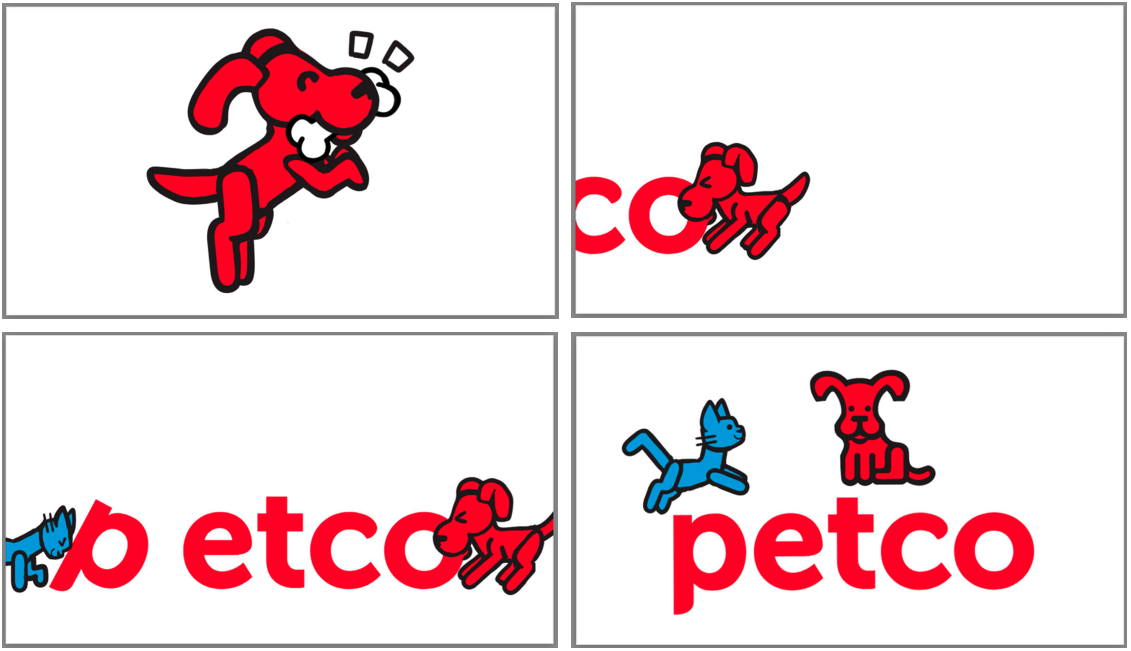
Create four complete style frames for your Animated Logo and two style frames for your Loading Animation. Illustrate the most significant moments from your storyboard and refine them so that they are in the correct aspect ratio and present what the finished animation will look like.
You may use any software program you like but be sure that your image size is 1,920 x 1,080. Ideally you would design your style frames so that images that will be animated are on separate layers That way, you can import the project file (PSD or AI files) and Import as Comp (Retain Layer Sizes) into After Effects From there you will be able to animate the layers separately.
Student Work Examples | Style Frames
Young | procreate
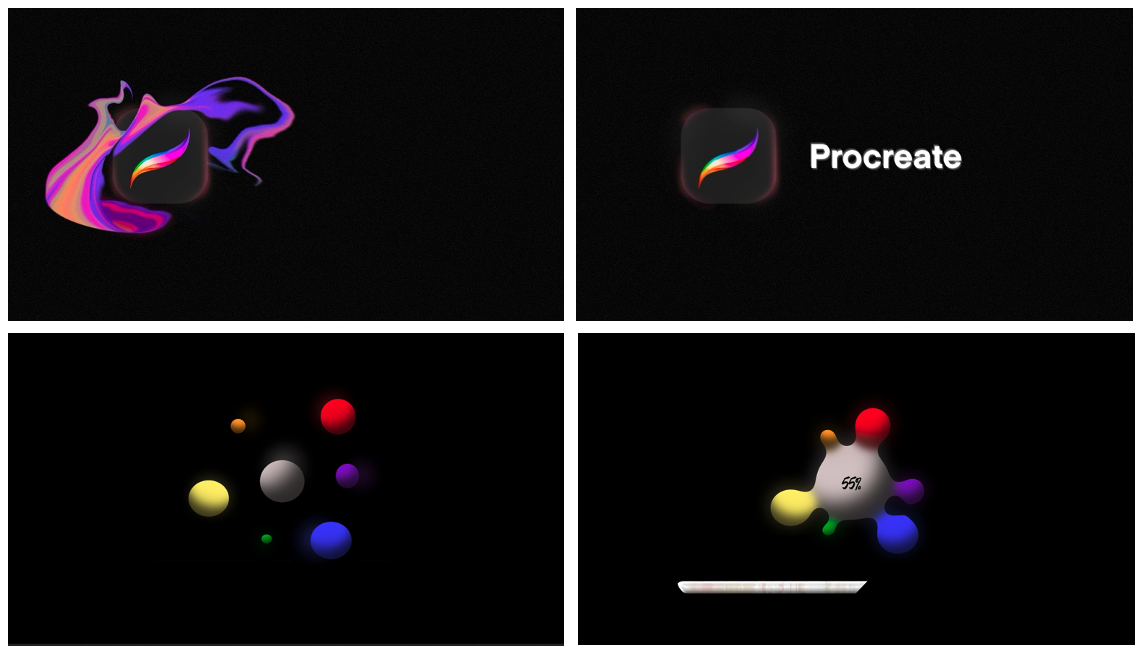
Whoolery | Insomnia Cookies

Jackson | Astro
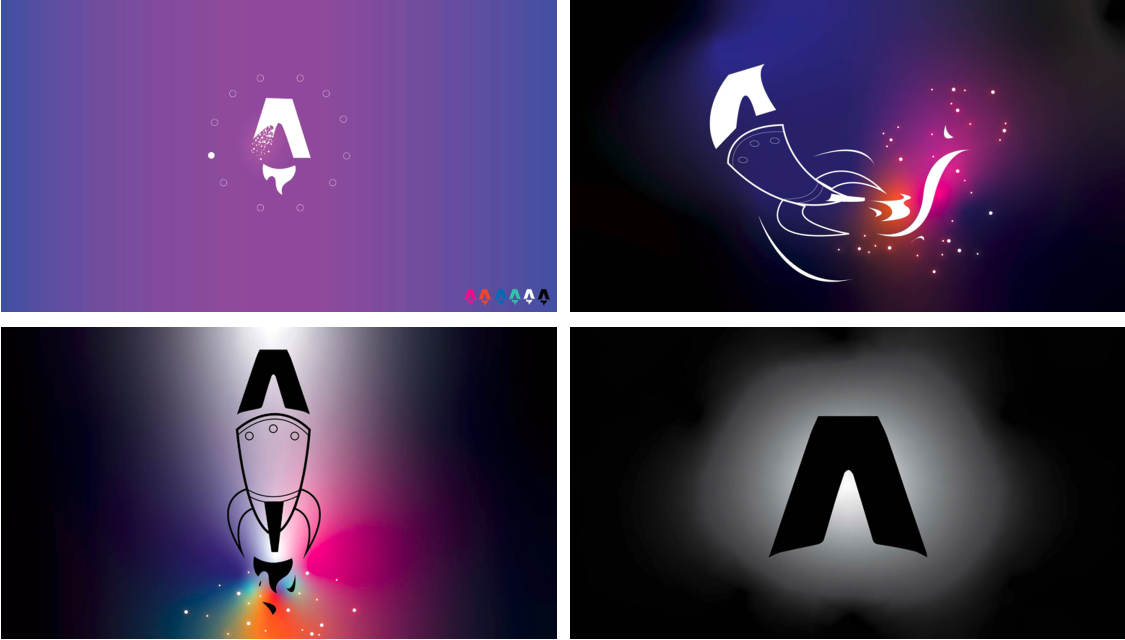
Kennedy | Petco
Assignment 3 | Animated Logo and Loading Animation Video
Upon completion of your loading animation and animated logo, combine them into a single video where your loading animation plays once or twice (depending on what works best for the animation you created) and then the animated logo plays. Export as H.264 and name the file Your_Name.mp4

Student Work Examples | Animations https://vimeo.com/user/15806543/folder/23683664
Young | Procreate https://vimeo.com/1045374332

Whoolery | Insomnia Cookies https://vimeo.com/1045369234

Baldwin | Kodiac Cakes https://vimeo.com/1045370149

Module 2 | Themescape
The Themescape project is a visual “stream-of-consciousness” piece. This linear, non-narrative project allows you to use greater creativity without being bound by a strict story. The theme may meander, stylistically, to explore your theme from many directions threaded together with motion.
Think of it as a sort of image-essay made with animation and motion graphics.
As you develop your storyboards for the Themescape, you should be thinking more about transitions and how you can apply them to your Themescape. Transition is an integral part of motion graphics and enhances the connection between scenes and improves the narrative’s fluency. Transitions are also visually clever and fascinating!
Take some time to read through this blog post: Six Essential Motion Design Transitions
And this one: Four Types of Transition in Motion Graphics
Add a soundtrack that does not contain lyrics and edit it to fit your theme.
Your final composition must be at least 30 seconds, depending on complexity, to 1 min.
Assignment 1 | Storyboard
Create a rough draft(s) and then a final storyboard for your Themescape.
Keep in mind that storyboards are worth 20% of the final grade, and I expect you to put time and care into them. Make sure that they are clearly illustrated and legible and functioning.
Student Work Examples | Story Boards
Garza
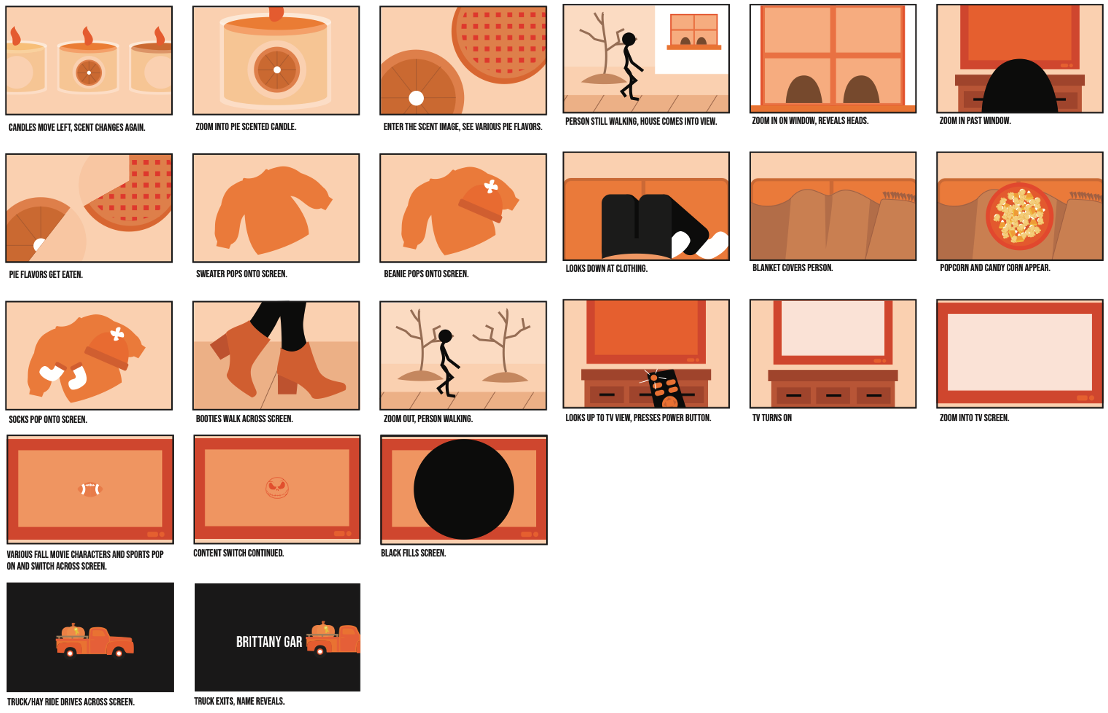
Young

Shannon

Baldwin

Assignment 2 | Style Frames
Create six complete style frames for your Themescape. Illustrate six of the most significant moments from your storyboard and refine them so that they are in the correct aspect ratio and present what the finished animation will look like.
You may use any software program you like but be sure that your image size is 1,920 x 1,080. Ideally you would design your style frames so that images that will be animated are on separate layers That way, you can import the project file (PSD or AI files) and Import as Comp (Retain Layer Sizes) into After Effects From there you will be able to animate the layers separately.
Student Work Examples | Style Frames
Young

Whitford
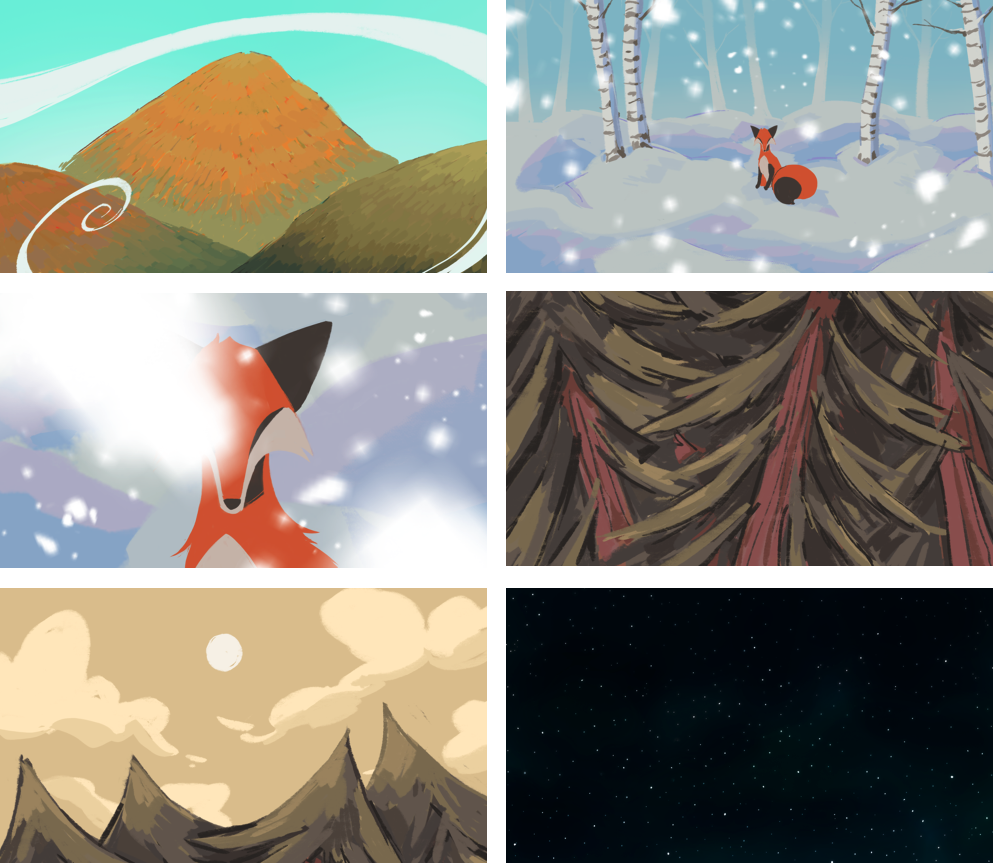
Harrison
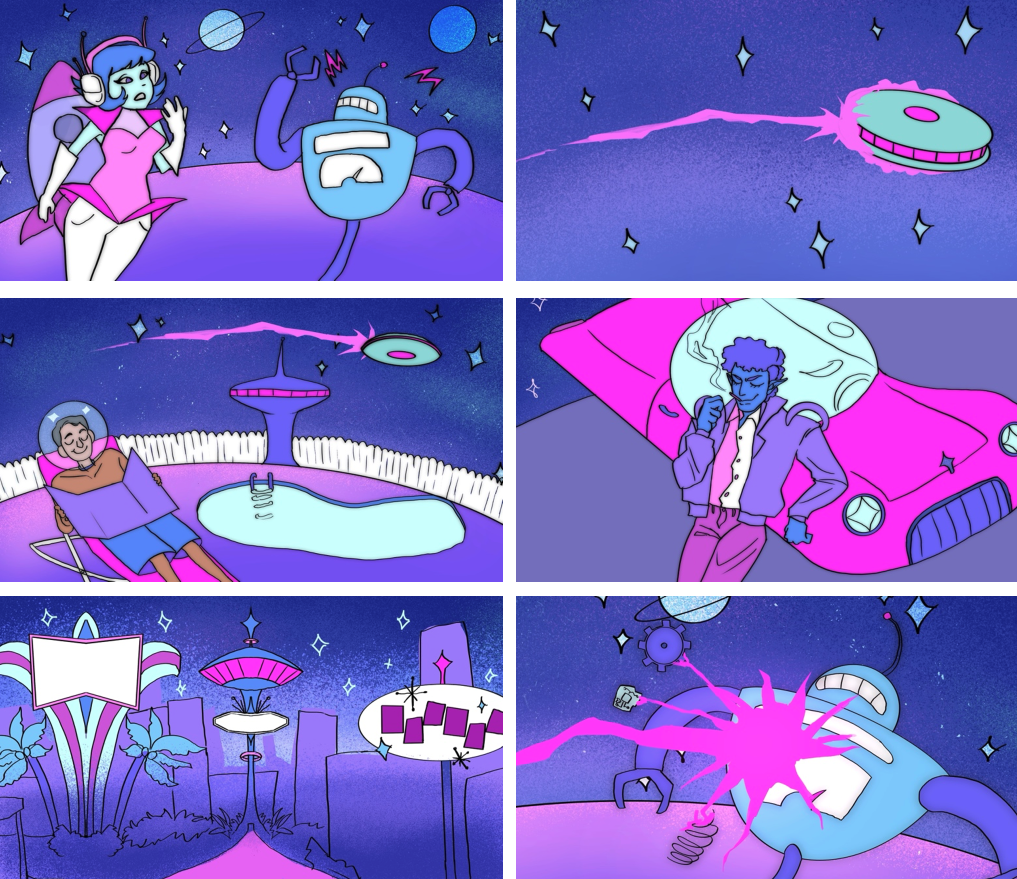
Assignment 3 | Themescape Video
Export your Themescape as H.264 and label the file Your_Name.mp4
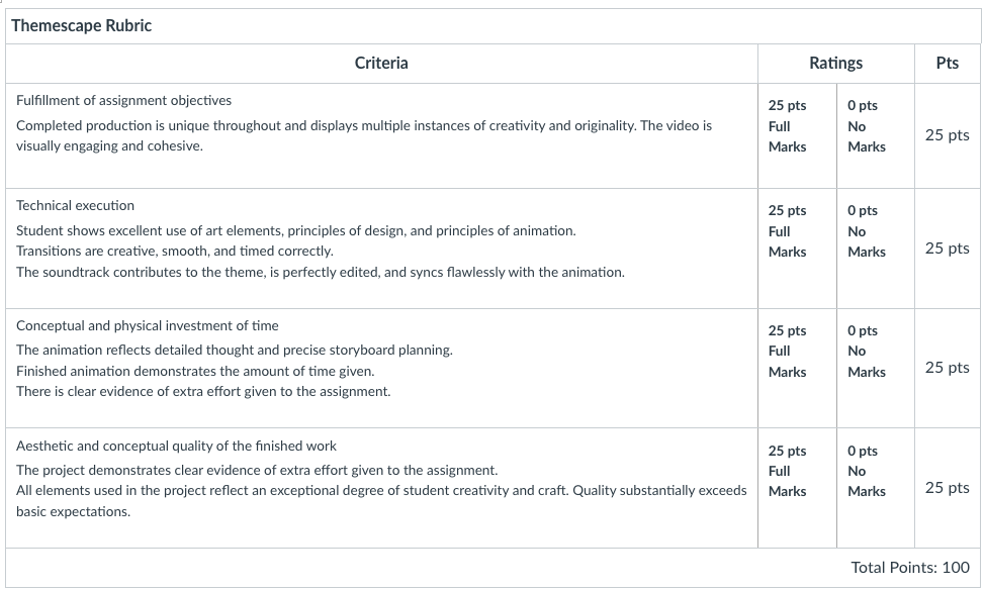
Student Work Examples | Themescape Video https://vimeo.com/user/15806543/folder/23683619
Garza https://vimeo.com/1045379545

Shannon https://vimeo.com/1045387035

Baldwin https://vimeo.com/1045377958

Harrison https://vimeo.com/1045380508

Module 3 | Animated Infographic
An animated infographic is a way of visualizing information using a combination of imagery, illustrations, charts, graphs, text, and other elements that are animated to add movement. They can cover any subject and have the ability to successfully make complex topics easy to interpret by providing visual context.
Animated infographics are having a moment and are some of the most shared content on social media. This project has the potential to produce a rewarding piece in your portfolio.
Create an animated infographic depicting a topic of your choice.
Requirements:
- Include both animated graphics and kinetic type.
- Sync animation with a voice-over or soundtrack
- Min. 30 seconds long
Inspiration and supplemental information:
- What is an infographic?
- How to Think Visually Using Visual Analogies (site shows many creative ways to visually show data)
- Information is Beautiful Website devoted to infographics and data visuals
- Infographic Examples (static)
- Infographic Examples (motion)
- 63 of the Best Infographics
- The best Animated Infographics of the World
- Motion Graphics/Infographics playlist
- Infographics on Vimeo
- Datavizproject.com (tons of information about and examples of data visualization)
- Linkedin Learning Tutorial: Animating Infographics
- Create Animated Infographics with Motion Graphics | AE Tutorial
- AE Tutorial | Create Explainer Video Animations in After Effects
- 3 Cartoon Explainer Video Techniques in After Effects
- Create Bar Infographics with Controls AE Motion Graphic Tutorial
- SonduckFilm YouTube Channel with several infographic/explainer animation tutorials
Assignment 1 | Animated Infographic Storyboard
Create a rough draft(s) and then a final storyboard for your Animated Infographic.
Keep in mind that storyboards are worth 20% of the final grade, and I expect you to put time and care into them. Make sure that they are clearly illustrated and legible and functioning.
Student Work Examples | Animated Infographic Storyboard
Ionna Jackson | Cnidarians

Danielle Jackson | Cinnamon Rolls

Whitford | Fennec Fox

Garza | Chipotle

Henry | JFK

Assignment 2 | Animated Infographic Style Frames
Create six complete style frames for your Animated Infographic. Illustrate six of the most significant moments from your storyboard and refine them so that they are in the correct aspect ratio and present what the finished animation will look like.
You may use any software program you like but be sure that your image size is 1,920 x 1,080. Ideally you would design your style frames so that images that will be animated are on separate layers That way, you can import the project file (PSD or AI files) and Import as Comp (Retain Layer Sizes) into After Effects From there you will be able to animate the layers separately.
Student Work Examples | Animated Infographic Style Frames
Ionna Jackson | Cnidarians
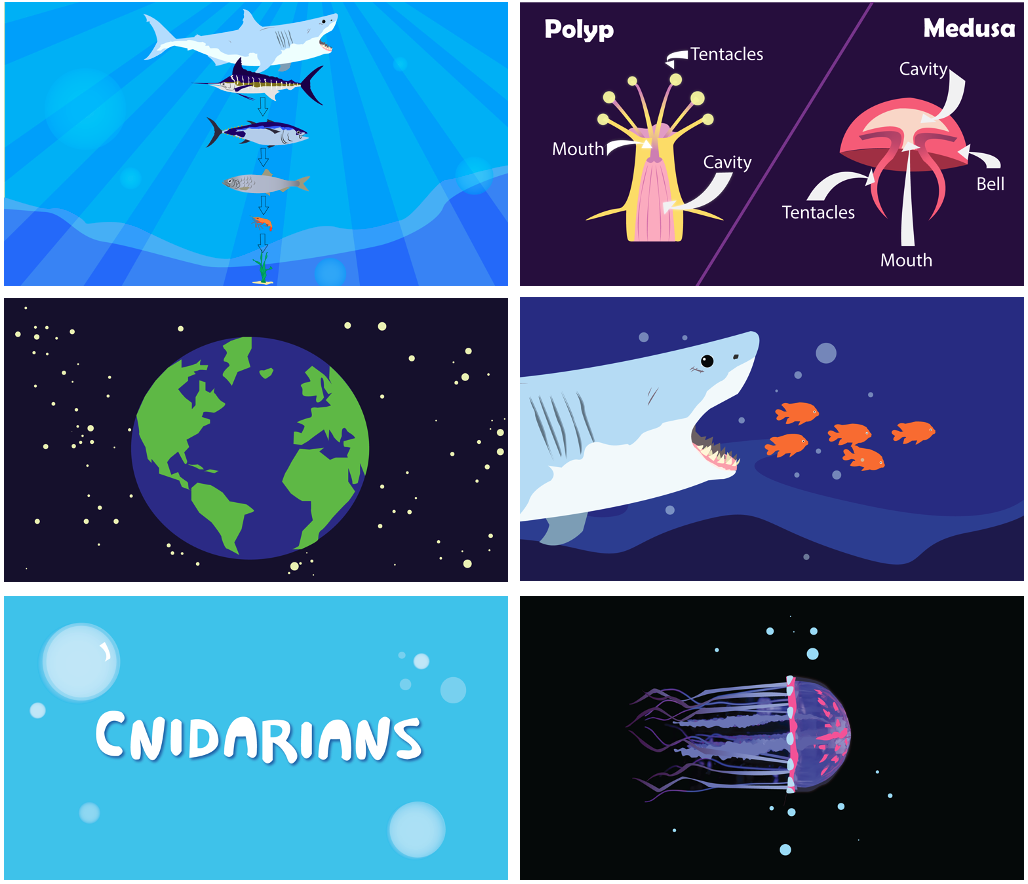
Whitford | Fennec Fox

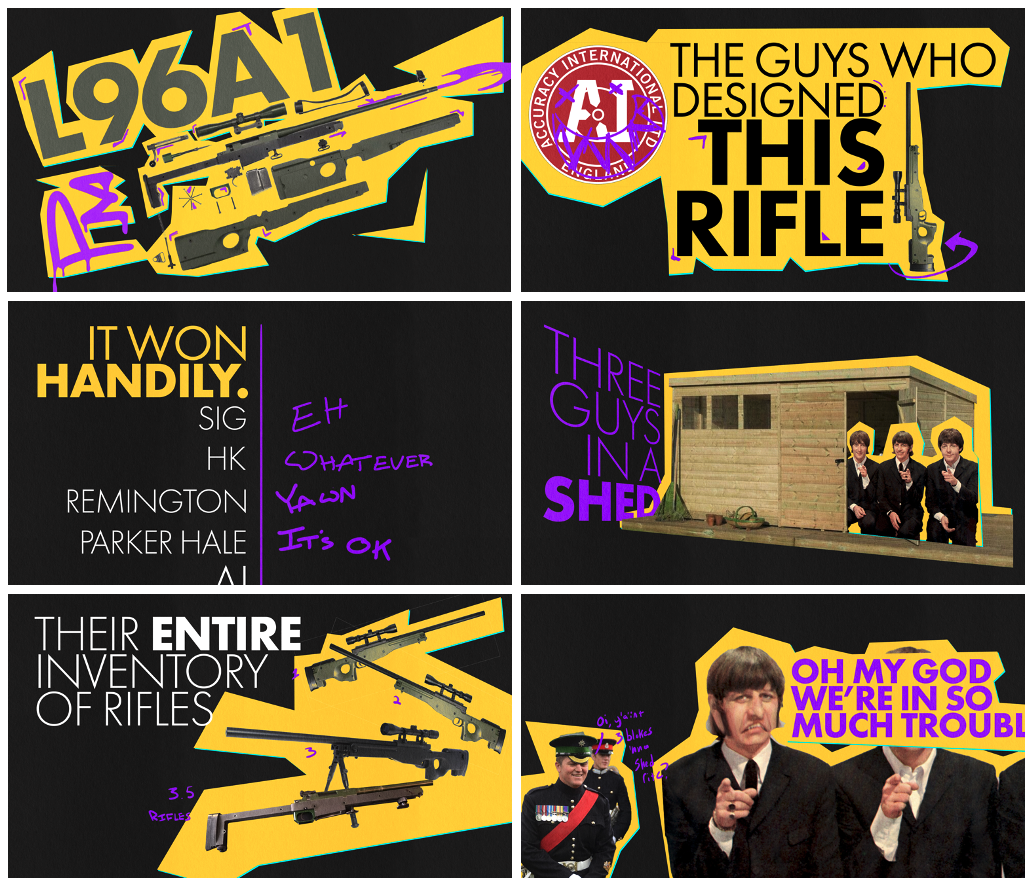
Lanier | Accuracy International
Eves | Frankenstein

Assignment 3 | Animated Infographic Video
Export your Animated Infographic Video as H.264 and label the file Your_Name.mp4

Student Work Examples | Infographic Video https://vimeo.com/user/15806543/folder/23683591
Iyonna Jackson | Cnidarians https://vimeo.com/1045392322

Danielle Jackson | Cinnamon Rolls https://vimeo.com/1045396680

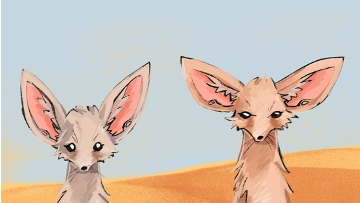
Whitford | Fennec Fox https://vimeo.com/1045402056
Mullen | History of Fugazzi https://vimeo.com/1045402841
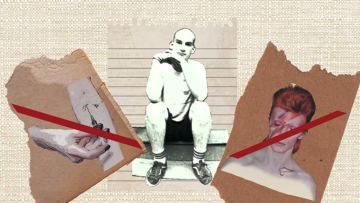
Eves | History of Frankenstein https://vimeo.com/1045393548

Module 4 | Updated Demo Reel
For our Final, update your Demo Reel.
Continue to build upon and refine the reel you created in ART3080. For this version, you can extend the time of your reel, but you will want to present quality over quantity.
Begin by going through all your work and selecting the best clips. Extract those clips and, using video editing software (Adobe Premiere Pro), start laying them out in the timeline. You will want to split clips up into bits that are 3 seconds or less and intermingle them with each other.
The opening shot is the most critical part of your demo reel. You want to catch the viewer’s attention and maintain their interest. Your demo reel should be fast-paced and dynamic. Craft your reel using thoughtful transitions from one clip to the next, weaving together a story about your work that engages the viewer. End with an impressive shot that will seal the impression you want to make.
Create a dynamic intro and outro animation that displays your contact information.
Export your reel as H.264 and name the file Your_Name.mp4
Student Work Examples | Demo Reel Video
Baldwin https://vimeo.com/1046865286

Zerbe https://vimeo.com/1046868533
Garrett Moore https://vimeo.com/1046868492

Osipenko https://vimeo.com/1046868435

Grice https://vimeo.com/1046868363

Appendix
- Reading List and Reference
- Syllabus
Reading List and Reference
After Effects Essential Training (LinkedIn Learning) https://www.linkedin.com/learning/after-effects-2021-essential-training-the-basics/animate-with-the-timeline?u=76264346
After Effects CC Essential Training: Motion Graphics (LinkedIn Learning) https://www.linkedin.com/learning/after-effects-cc-2021-essential-training-motion-graphics/samples-and-inspiration?u=76264346
After Effects Principles of motion Graphics (LinkedIn Learning) https://www.linkedin.com/learning/after-effects-principles-of-motion-graphics-2/creative-process-motion-graphics?u=76264346
School of Motion https://www.schoolofmotion.com/blog
Jake In Motion https://www.youtube.com/channel/UCSggky_jA5RfK4gR5RBwGyw
Ben Marriott https://www.youtube.com/c/BenMarriott
Free Vectors https://all-free-download.com/free-vector/logos.html
Seeklogo.com https://seeklogo.com/
Everything You Need to Know About Loading Animations https://medium.com/flawless-app-stories/everything-you-need-to-know-about-loading-animations-10db7f9b61e
32 Creative Loading Animations that are Worth the Wait https://digitalsynopsis.com/design/loading-animations-preloader-gifs-ui-ux-effects/
105 Cool Animated Logos for Your Inspiration https://ibrandstudio.com/inspiration/animated-logos?utm_content=buffer65fc9&utm_medium=social&utm_source=pinterest.com&utm_campaign=buffer
Six Essential Motion Design Transitions https://www.schoolofmotion.com/blog/six-essential-motion-design-transitions-tutorial
4 Types of Transition in Motion Graphics https://medium.muz.li/4-types-of-transition-in-motion-graphics-3ec29ffa3e19
What is an Infographic https://customermagnetism.com/what-is-an-infographic/
How to Think Visually Using Visual Analogies https://www.visualistan.com/2015/06/how-to-think-visually-using-visual-analogies-infographic.html
Information is Beautiful https://informationisbeautiful.net/
The best Animated Infographics of the World https://vimeo.com/47802965
Datavizproject.com https://datavizproject.com/
Tutorial: Animating Infographics (LinkedIn Learning) https://www.linkedin.com/learning/after-effects-guru-animating-infographics/welcome?u=76264346
Create Animated Infographics with Motion Graphics | AE Tutorial https://www.youtube.com/watch?v=n3UfBb23yR4&ab_channel=SonduckFilm
AE Tutorial | Create Explainer Video Animations in After Effects https://www.youtube.com/watch?v=lAUAVwYWFdI
Create Bar Infographics with Controls AE https://www.youtube.com/watch?v=0amv44UwAwg&ab_channel=SonduckFilm
SonduckFilm https://www.youtube.com/results?search_query=sonduckfilm
Syllabus
ART3082 Motion Design Studio
Course description
This course introduces students to motion graphics, kinetic typography, and broadcast and web animation.
Upon completing this course, students should understand the necessary design process involved in conceptualizing, designing, and producing motion graphics for web and broadcast delivery. Students will gain experience in designing and creating motion graphic animations, manipulating video and audio assets, and gaining experience with the language of animation and short-video storytelling.
Student Learning Outcomes
- Demonstrate skills in the use of industry-standard tools to create motion graphics from various static sources.
- Recognize and define common animation techniques, motion principles, and theories.
- Apply animation techniques and motion principles to simulate realistic movement and create motion graphics based on current industry trends and practices.
Required Materials
- A portable Hard Drive, 1TB SSD
- A pair of headphones
- Wacom Screen Tablet Pen / or a digital drawing tablet for working outside of class.
Currently, there are two pen options for students to purchase:
Wacom Pro Pen 2 and Wacom Pro Pen Slim
Software
Students will be instructed on using Adobe CC software for a portion of this course. If you have not already signed up for your free Adobe CC account, you may do so here:
Course Conduct
This semester, the course will be hybrid. Each week, we will meet on campus once a week ART3082-001 will meet on Tuesdays at 2 pm and ART3082-002 will meet on Thursdays at 2 pm. The remainder of the course will be conducted online and designed in an asynchronous format to accommodate diverse schedules. Course content will be available on Canvas. Additional communication and collaboration platforms such as Microsoft Teams, Discord, and Cisco Webex will also be accessed. To download the Cisco Webex App: https://ecu.teamdynamix.com/TDClient/1409/Portal/KB/ArticleDet?ID=67446
Students are required to engage in online discussion forums and to engage in all activities by deadlines posted. When posting on the discussion boards and chat rooms, it is essential to understand how to interact online and use proper netiquette. You can read more about the rules of netiquette here: http://www.albion.com/netiquette/corerules.html
I seek to create an online environment in which individuals can openly share their thoughts, viewpoints, and ideas. Class members are expected to respect the diverse backgrounds of other class members. Students are expected to contribute in critiques and discussions actively. Individual participation and conduct will count as a significant portion of each student’s final grade.
Class Expectations
Participation is mandatory. Students are expected to contribute during critiques and class discussions actively. Individual participation and conduct will count as a significant portion of each student’s final grade.
All course projects are mandatory and are to be completed and submitted to Canvas on the due date. Late projects may not be included in the critique and docked 10%. Late work will not be accepted past one week (seven days) from the due date.
Attendance Policy For information on university excused absences see http://www.ecu.edu/cs-studentaffairs/dos/excused_absences.cfm Attendance is mandatory and missing more than ONE Class will result in a Grade Reduction. Missing THREE Classes will result in a grade of “F” for the course regardless of the project grade.
- Students must be in class on time, arriving late to class three times will count as an unexcused absence. Missing more than 15 minutes of class time will be considered an unexcused absence; this includes leaving class early w/o permission.
- Students must come to class prepared! They should have the required materials and due assignments. Arriving unprepared may result in an unexcused absence.
- Missing class during a critique will result in an unexcused absence and an F for the due assignment.
Computer Lab Rules
Students must abide by the following rules. Failure to do so may result in the student being asked to leave the classroom for the remainder of the class period with the result of an unexcused absence.
- Food and drink are NOT allowed in studios and computer labs. This policy applies to the entire school. Students can eat snacks and food in the student lounge (room 208). This policy includes after-hours!
- During class, cell phones must be silenced and put away.
- During class, the lab computers are to be used for coursework for this course only.
- All lab equipment must be treated appropriately, and students are expected to clean up after themselves.
Project Evaluation
Projects are evaluated on the following criteria:
- 25% Fulfillment of assignment objectives
- 25% Technical execution
- 25% Conceptual and physical investment of time
- 25% Aesthetic and conceptual quality of the finished work
Letter Grading
Letter grades will be assigned based on the number of points earned from assignments. See the conversion table below.
| Grading Scale | |||
| Grade | Grade Scale | GPA | |
| A | 93-100 | 4.0 | Achievement substantially exceeds basic course expectations |
| A- | 90-92.99 | 3.7 | |
| B+ | 87-89 | 3.3 | |
| B | 83-86.99 | 3.0 | Achievement exceeds basic course expectations |
| B- | 80-82.99 | 2.7 | |
| C+ | 77-29.99 | 2.3 | |
| C | 73-76.99 | 2.0 | Achievement adequately meets basic course expectations |
| C- | 70-72.99 | 1.7 | |
| D+ | 67.69.99 | 1.3 | |
| D | 63-66.99 | 1.0 | Achievement falls below basic course expectations |
| D- | 60-62.99 | .7 | |
| F | 0-59.99 | 0 | Failure – achievement does not justify credit for the course |
| I* | Incomplete | * | (granted for deficiency in quantity, not quality, of work) |
Course Work Breakdown:
The course consists of four modules. The first three each require a project proposal, a storyboard, style frames, the final project video, and critique participation. In the fourth module, students will update their Demo Reel and their portfolio site. The fourth module counts as the course final
- Project Proposals = Required and count towards Course Participation
- Storyboards = 15% of the final grade
- Style Frames = 15% of the final grade
- Final Project Videos = 50% of final grade
- Critique and Course Participation = 10% of the final grade
- Final = 10% of final grade
Office Hours and Contact Information
Office hours: J1309, MW 7-8 am and TTH 12:30-2 pm or virtually by appointment: https://ecu.webex.com/meet/mcintyrea. The best method to contact me is by email mcintyrea@ecu.edu which I check regularly. Please enter “Art 3082” in the subject line of your message. Describe the nature of the problem that you are having as entirely as you can. During regular working days M-F and working hours (8 am-5 pm), I will do my best to respond within that day. During other times there may be a 24-hour delay. If you would like to schedule a meeting with me outside of my regular office hours, please include your availability.
Academic Integrity Policy
http://www.ecu.edu/cs-acad/fsonline/customcf/currentfacultymanual/part6section2.pdf
The policy is also available to students at this link: http://www.ecu.edu/osrr/students-academic_conduct_process.cfm
Also, see information on webpage for student’s rights and responsibilities: http://www.ecu.edu/osrr/
As a member of the ECU community, students are expected to uphold this value on a daily basis. Academic integrity is important to your education and learning and the integrity of your degree and that of the entire university community. As a member of this academic community, you are expected to: Review the entire Academic Integrity Policy; Consult a faculty member if you are unsure if a behavior is a violation of the Academic Integrity policy; If you observe an academic integrity violation, report it to the faculty member immediately.
Academic integrity is a fundamental value of higher education and East Carolina University; therefore, acts of cheating, plagiarism, falsification, or attempts to cheat, plagiarize or falsify will not be tolerated. Should I determine that an academic integrity violation has taken place, I reserve the right to assign a grade penalty or refer the case to the Office of Student Rights and Responsibilities for an Academic Integrity Board hearing. The minimum grade penalty that I will assign is an F for the assignment/course. Should it come to my attention that you have had a prior academic integrity violation or other aggravating circumstances, I will refer the case directly to the Office of Student Rights and Responsibilities. Should the Academic Integrity Board determine that you committed an academic integrity violation, you may be assigned a grade penalty and any other sanction allowed in the Student Code of Conduct, up to and including suspension from the University.
Regarding the use of AI/ChatGPT
Intellectual honesty is vital to an academic community and for my fair evaluation of your work. All work submitted in this course must be your own, completed in accordance with the University’s academic regulations. You may not engage in unauthorized collaboration or make use of ChatGPT or other AI composition software.
Disruptive Academic Behavior and Student Code of Conduct
Disruptive academic behavior is any behavior likely to substantially or repeatedly interfere with the normal conduct of instructional activities, including meetings with instructors outside of class. Examples of such behavior include, but are not limited to, making loud or distracting noises; using cell phones and other electronic devices without prior approval; repeatedly speaking without being recognized; frequently arriving late to class, and making threats or personal insults. The course instructor has purview over his/her class and may deny a student who is unduly disruptive the right to attend the class.
Academic Accommodations Statement
Academic accommodations may be available to students including access to assistive technology and testing accommodations. Students should contact Disability Support Services (DSS) to discuss possible assistance during their recovery period. DSS can be reached at (252) 737-1016 or Dss.dept@ecu.edu. Use the following link to file with the Department for Disability Support Services: https://accessibility.ecu.edu/students/
Pirate Safety Guide
Emergency Weather Statement
In case of inclement weather or emergency ECU will post information at the following website: http://www.ecu.edu/alert/
Continuity of Instruction
In the event that face-to-face classes are suspended due to a catastrophe or other serious event, I will do my best to continue instruction to those that can participate. When classes are suspended, you will receive an email from me and an announcement on Canvas, both will detail how we will proceed.
Missed Instructional Time in the Event of a Disruption:
Making up missed instructional time in this course will follow ECU’s Policy for Making Up Missed Instructional Time Due to Suspension of Instruction.
Assessment
In this course, you will be asked to participate in assessment activities that are not graded as part of your course requirements.
Caveat Statement
This syllabus represents a written contractual agreement between us. Occasionally, it may be necessary to revise this syllabus to meet students’ needs. I reserve the right to revise this syllabus if the need arises. Advance notification will be provided to you.
 cagedflight