Professional Practice
- Overview
- Senior Capstone Project
- Assignment 1: Employment Research
- Assignment 2: Resume
- Assignment 3: Defining Your Brand
- Assignment 4: Demo Reel
- Assignment 5: Business Card
- Assignment 6: Letterhead
- Assignment 7: Cover Letter
- Assignment 8: Design Philosophy
- Senior Presentation
- Reading List and Reference
- Course Syllabus
Course Description
This course is designed to equip students with professional skills in preparation for entry-level employment and graduate school. The course’s primary focus is developing a digital portfolio, including a supervised senior capstone project centered on creating animation art in one or more forms. Through lectures, readings, exercises, and projects, students will develop the necessary skills and tools to pursue their careers further and prepare for their senior review.
Student Learning Outcomes
- Students will develop an overview of the professional practices associated with the organization and functioning of various vocational patterns in animation art.
- Students will create a supervised senior or capstone project centered on creating animation art in one or more of its various forms.
- Students will identify and seek related Internships and field experiences.
Course Outline
By the end of the course, students will have completed the following:
- Senior Capstone Project
- Profession Practice Packet (Resume, Cover Letter, Design Philosophy, Letterhead and Business Card, Demo Reel, Digital Portfolio, etc.)
- Senior Presentation
Senior Capstone Animation Project
One of the main objectives of this course is for students to complete a semester-long capstone project.
The capstone project includes the design, pre-production, production, and postproduction of an advanced animated work suitable for portfolio presentation.
The capstone project should highlight the student’s strengths and serve as a showcase piece that will support them in pursuing their career path.
It is crucial that students dedicate quality work time each week towards their capstone project. To end up with a piece that accurately represents one as an animator, plan to devote a minimum of 8 hours per week.
Capstone Proposal
The first step is to present, for approval, a well-thought-out, informative, and detailed capstone proposal.
Capstone In-Progress Critiques
Students will present their capstone progress bi-weekly during in-class critiques. Often, other area professors will attend these critiques.
Capstone Final
Students will present their final capstone at the Animation/Interactive Design Senior Presentation. The presentation should include a discussion of the process, a portfolio of pre-production work, and the final product.
Student Work Examples | Capstone Project
Arden Talley | 2D Animation, Focus on Character Acting and Transitions https://vimeo.com/1045434680

“For my capstone project, I focused on 2D animation and character acting. I cycled through different types of characters (mainly bipedal and quadrupeds and some typically inanimate objects to which I gave some personality). I wanted them to interact with one another before transitioning to the next character. My focus was on the convincing effectiveness of the movements.”

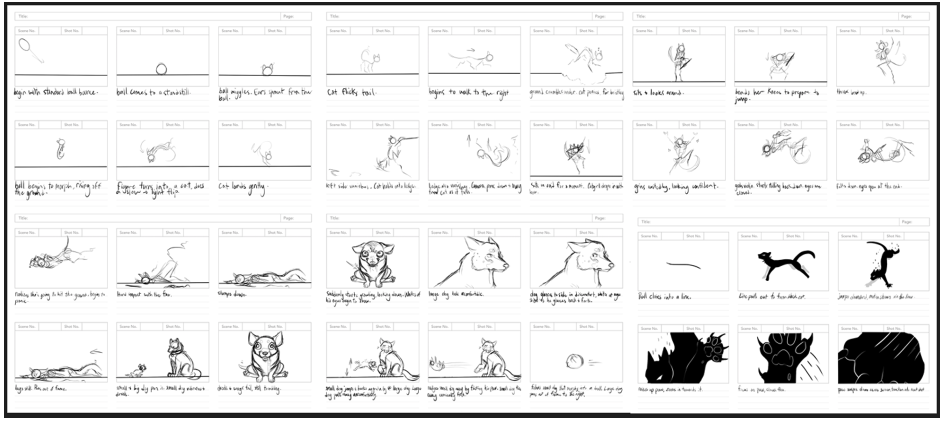
Arden Talley Senior Presentation | Talley.pptx
Colton Borum | Floor 144 2D Animation and Character Designs https://vimeo.com/1045434238
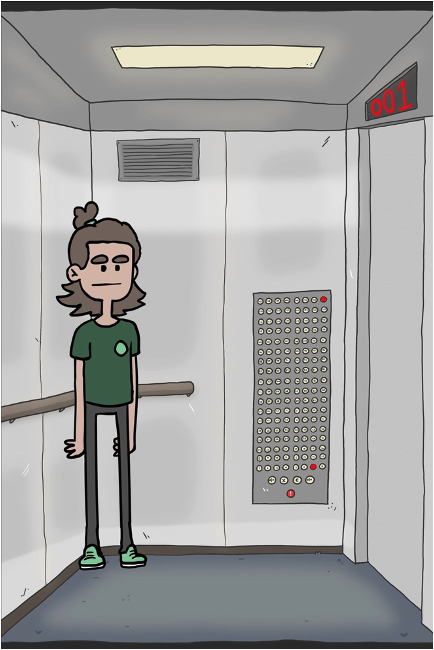


Colton Borum Senior Presentation | Borum.pptx
Sebastian Villacis | “Anthrotech” Proof of Concept; Story, Character Design, Prop Design and Animatic
Animatic https://vimeo.com/1045434014

Character Designs

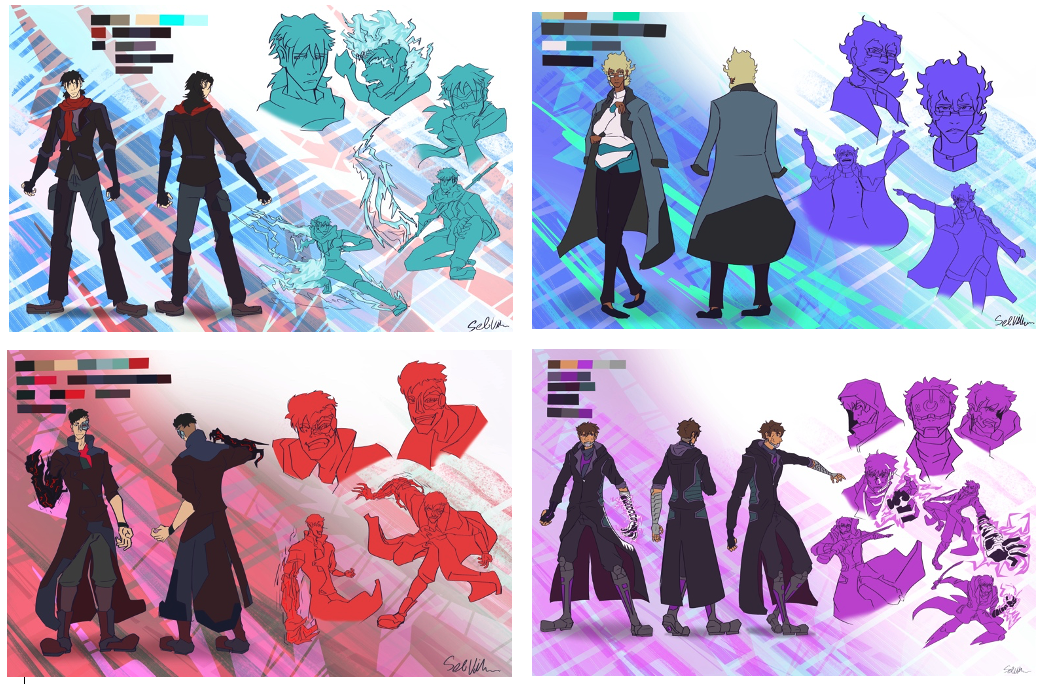
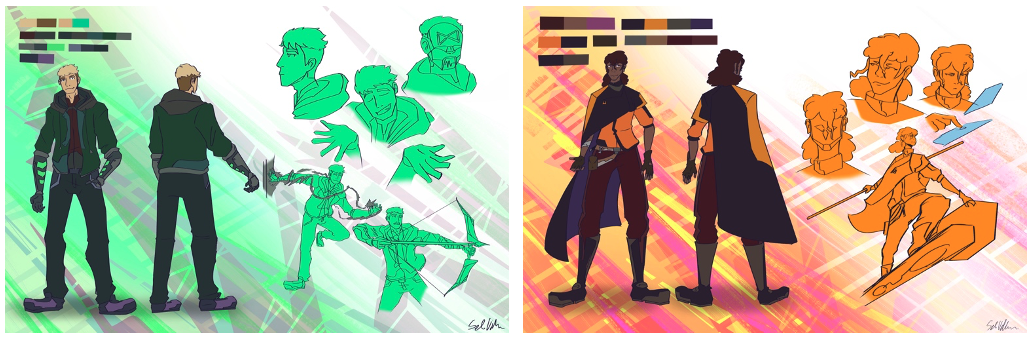
Concept Art


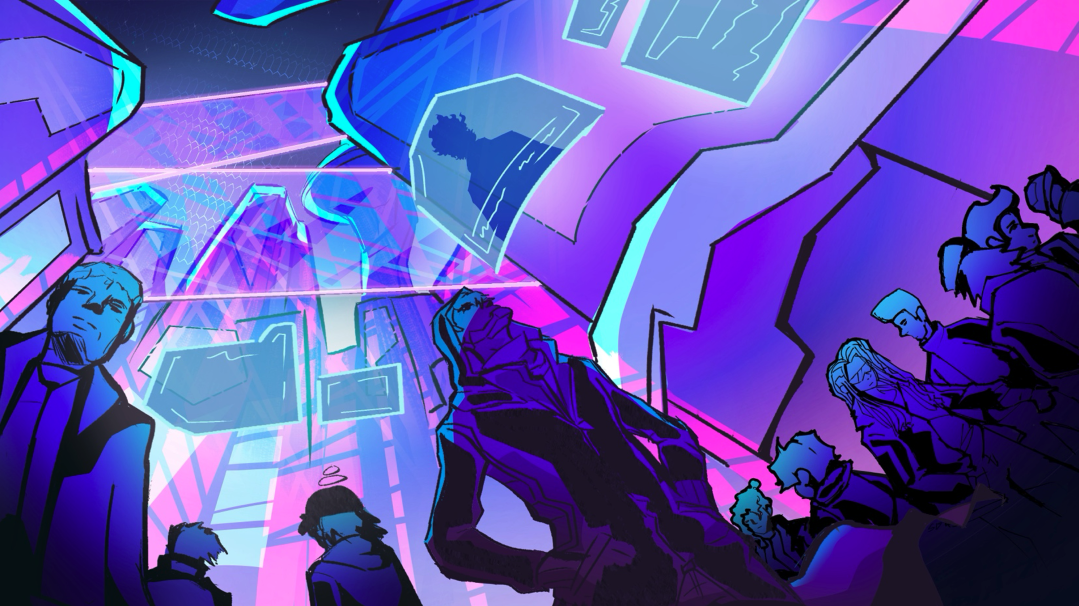


Annabelle Whitford | 2D Animated Video for “Libra” by Free Refills | Style Design, Animatic, Animation https://vimeo.com/1045433655

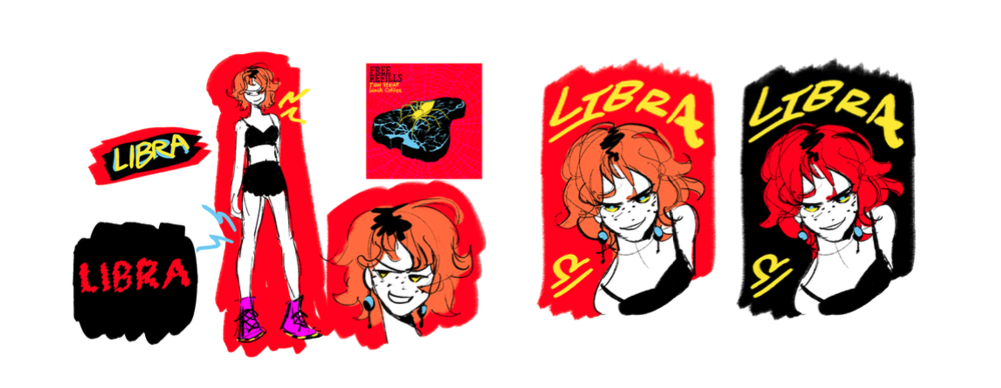
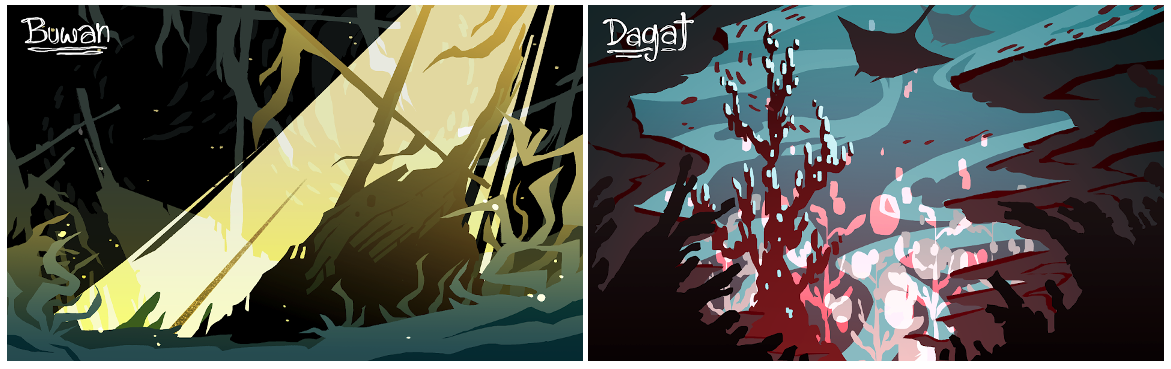
Zoe Pasion | Story Artist Portfolio: 2 Scripts, Animatics, Concept Art, Character Art
Drama/Action Story
Animatic https://vimeo.com/1045432216


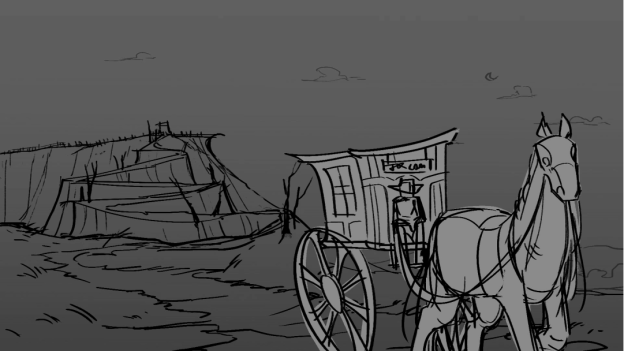
Comedy
Animatic https://vimeo.com/1045433146

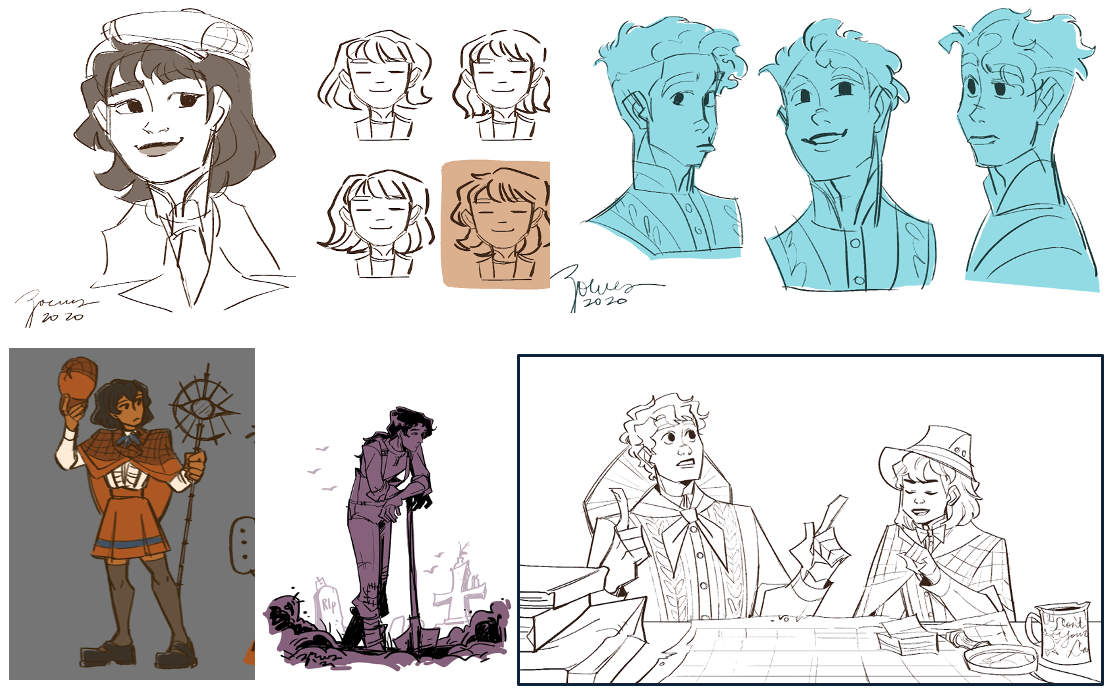
Zoe Pasion Capstone Presentation.pptx
Professional Practice Assignments
Assignment 1 | Employment Research
Compile a list of 15 companies/Firms in which you would like to be employed. If you are considering applying to Graduate Schools, you may include those as part of the 15. You may also include internship possibilities.
For each employer/school, research and document a summary of:
- Their design philosophy
- The position you might apply for
- The qualifications they are looking for in a potential employee/ student
- Their application process and requirements
- Contact information, web address
- Any other pertinent information, including the reasons you are interested in each company/ school.
Some job search resources:
Animation Jobs on EntertainmentCareers.net
Animation Jobs listed on AnimatedJobs.com
Global Animation/VFX/Game Industry Job Postings Doc
If you haven’t already, now would be a great time to join/follow industry related communities and organizations. Most publish job opportunities regularly, and it can be a great way to network! Link
Assignment 2 | Resume
Your resume is one of the most important documents you will need to write as you prepare for professional life. You will continue to update it throughout your career, so getting it right at the start is vital.
Ideally, your resume should occupy one page: it should be unfussy, concise, and readable.
There are a lot of ways to format a resume, but generally, a resume needs to contain the following headings:
Name and Contact Information
This section includes your full name at the top of the page in larger font size than the remaining information presented in the resume. Then have your mailing address, email address, phone number, and Website.
Education
Begin with the most recent degree (reverse-chronological): list degree, institution, and year of graduation.
BFA with a Concentration in Animation/Interactive Design
East Carolina University, Greenville, NC
May 2025
Relevant Coursework
As a student or recent graduate, you can also list your relevant coursework and highlight the skills and knowledge from the course. List the course name and not the course number.
*(We have updated the course names for ART3080 (Intro to Video) is now Narrative Through Kinetic Imaging, and ART3081 (Intermediate Video) is now Animation Production Studio.)
Summary of Qualifications
In this field, list experiences that are relevant to your profession:
Skills, Software Proficiency
Experience
Again, in reverse-chronological order.
Honors and Awards
Professional Involvement/Development
(professional affiliations, campus involvement, clubs or organizations)
You may find the following links helpful:
- How to Include Relevant Coursework on a Student Resume
- How to Write an Animator Resume
- Animation Resume Guide
- Animator Resume Examples and Guide
- 9 Animator Resume Examples and Guide
If you really want to impress, you might consider creating an animated resume:
https://www.wyzowl.com/animated-resume/
Assignment 3 | Defining Your Brand
Begin to form your brand, an identity for yourself, and your portfolio. A visual aesthetic that will work best to represent you. A set of visual and verbal properties that can remain consistent and effectively communicate across multiple forms and mediums (Design Philosophy/Artist Statement, Portfolio Website, Resume, Business Card, Letterhead, etc.)
The first step is to develop a set of brand attributes — a list of descriptive words and phrases that have the power to describe style, tone, and personality; establish connections and associations, and shape emotional reactions.
Begin by reflecting on the work you’ve done, the person you are, and the creative professional you want to be. Below is a list of critical questions to ask yourself. Write down the answers that come up. Trust yourself and listen to your intuition throughout this process. Ultimately, you want to focus on descriptive keywords — adjectives and adverbs that can begin to define your brand.
Reflect on Your Work
Ask yourself some key questions:
- What kind of work do you like to do?
- What kind of work do you do best?
- Was there a particular project that you really enjoyed?
- How would you define your talents and skill set?
- How would you describe the styles, forms, and concepts with which you prefer to work on?
- How would others describe your talents and the work you do? (If you don’t know, ask.)
- What does your body of work say about you?
- Is there something missing from your body of work that you think you need?
Reflect on Yourself and Interests
Ask yourself some key questions:
- How would you describe yourself as a creative professional?
- How would you describe yourself in general – your personality, work ethic, beliefs, etc.?
- How would others describe you? (If you don’t know, ask.)
- Are these qualities communicated through any of the pieces that you have created?
- What do you have to offer a company or client?
- What types of experiences engage you?
- What do you find most interesting about the world around you?
- Whose work influences, attracts, and inspires you? Why?
Reflect on Your Future
Ask yourself some key questions:
- What kind of work do you want to do?
- What kind of creative do you want to be?
- Are you doing the kinds of things now that you want to be doing in the future?
If not, how can you position yourself to get to where you want to be? - What kind of company or client do you want to work for?
- What kind of company would fit your lifestyle?
- Are there compromises you are willing or not willing to make (travel, moving to a different location, long hours, etc.)?
- Where do you see yourself in one, two, or five years?
- Is there someone in the field who you admire? Why? How did they get to where they are?
How to Identify Key Brand Attributes
As you determine your brand qualities, you will want to narrow your list and focus on three to five descriptive words. Choose qualities that best represent your unique capabilities and attitudes.
Think about how you envision translating these qualities into a more tangible “look and feel. ” Try to choose brand qualities that will lend themselves to creating a more focused, positive, and memorable impression that distinguishes you.
Words like witty, vintage, bold, intense, organized, daring, confident, imaginative, reflective, quirky, experimental, retro, edgy, outgoing, enthusiastic, focused, classic, raw, poetic, creative, playful, and wacky are some choices you could use to describe your style.
Visual Components
Key visual brand components typically include a logotype, specific color palette, particular stylization of imagery/iconography, and typographic selections.
Color
Finding the right color combinations to establish tone and attitude is essential. Color is the first visual component we perceive and can be the most memorable. A specific color palette can unite your comprehensive portfolio (website, resume, business card, etc.)
You might visit the following websites to explore color combinations:
Type Selections
Depending on your expertise in this area, keep your type choices simple. Keep in mind that different typefaces say different things. Each genre of typeface has certain qualities associated with it. For example, there are sans-serif typefaces that are described as “modern” and “ clean ” (Universe, Futura, Helvetica Neue), and there are serif typefaces that are described as “ classic ” and have more visual contrast to them (Bodoni, Garamond, Caslon). Sans-serif typefaces are usually great for short lines of text (titles, subtitles), while serif typefaces work best for longer paragraphs.
Assignment 4 | Demo Reel
From the previous A/ID courses, you should have a solid demo reel foundation to build upon and refine.
However, you may start fresh. Throughout your career, you will create many demo reel versions to suit the purpose of the reel. For example, when applying for a job, you will curate your reel to highlight specific styles or animation techniques relevant to the job you are applying for.
The demo reel you craft for this course and present at the A/ID Senior presentation will showcase the highlights from your coursework in the A/ID program.
Use this opportunity to perfect that reel into a tool that opens the door to the next step in your career.
A demo reel is often the first thing a potential employer sees, making a strong initial impression crucial for gaining interest.
Unlike a written resume, a demo reel lets you visually demonstrate your skills and talents.
A well-made demo reel can make all the difference between getting the job of your dreams and not. A polished reel will boost your chances, even if your portfolio is still limited. Therefore, ensure you’re putting your best foot forward from the first frame to the last.
Go back through all your work and select the best clips. Extract those clips and start laying them out in the timeline using video editing software (Adobe Premiere Pro). You will want to split clips into bits that are 3 seconds or less and intermingle them.
The opening shot is the most critical part of your demo reel. You want to catch the viewer’s attention and maintain their interest. Your demo reel should be fast-paced and dynamic.
Craft your reel using thoughtful transitions from one clip to the next, weaving together a story about your work that engages the viewer. End with an impressive shot that will seal the impression you want to make.
Create a dynamic intro and outro animation that displays your contact information.
Export your reel as H.264 and name the file Your_Name.mp4
Student Examples |Demo Reel Video
Passion https://vimeo.com/1045418703

Lanier https://vimeo.com/1045418475
Harrison https://vimeo.com/1045418106

Meadors https://vimeo.com/1045417713

Mullen https://vimeo.com/1045416898

Rodan https://vimeo.com/1045416678

Assignment 5 | Business Card
Creating a memorable business card gives potential employers, clients, fellow creatives, and important contacts a reason to hold onto your information.
Some tips for business cards:
- Decide on the shape and size of your card, as well as the print material. A standard U.S. business card size is 3 1/2 x 2 inches with an extra ⅛-inch margin for any design elements or background that will “bleed” or extend beyond the finished size. However, feel free to use the size/shape that fits your design brand. One printing site that I highly recommend is MOO. They are affordable, are of excellent quality, and offer a lot of options. Moo is just a suggestion; there are tons of other printers you can use. Even if you don’t go with Moo, you might spend some time looking at their site to get some ideas. You can also order a free sample pack from them to get an idea of the possibilities they offer.
- Design your business card in the same brand style as the rest of your comprehensive portfolio package.
- Make it easy to read – carefully consider type size and contrast. Though having less design real estate can mean needing to use smaller fonts, it’s typically not recommended to use below a 7-point font for business cards.
- The most important information should be the most prominent in your design. The hierarchy is usually logo followed by your name, title, and contact information (email, phone number, and website URL).
- For the best reproduction when printing, use images that have a resolution of at least 300 dpi.
- Limit your font usage to one or two font families and be sure they are visually compatible with each other. When using more than one font, be sure there is enough contrast between them — that they aren’t too similar. For example, pairing a serif font with a sans serif usually works well, while pairing two serif fonts usually won’t.
- Keep the design simple. Use typeface and color effectively, so the design is clean, clear, and stands out!
Adobe Stock (included free in your ECU Creative Cloud subscription, make sure to sign in to your school account) has many templates for InDesign, Illustrator, and Photoshop. You might consider using a template as a starting point. Adobe Stock
Read: How to design a business card: 10 top tips.
Look at the following sites for design inspiration:
- 15 Business Card Ideas for Design Inspiration
- 30 Unconventional Business Cards
- How to Design the Perfect Business Card
Assignment 6 | Letterhead
A well-branded letterhead brings a sense of credibility to each piece of communication and helps the receiver know they can trust the information enclosed.
A good letterhead is clean and straightforward. The colors, fonts, and graphics should represent your branding and match your other promotional materials, like your website and business cards.
While you can have fun with letterhead, make sure your design won’t distract from the critical information you will be communicating.
Limit yourself to two fonts, in legible sizes (9 or 10-point font), and keep the essential information more prominent than secondary details.
Letterhead should contain the following elements:
- Name
- Mailing address
- URL
- Email Address
- Phone Number
Inspiration:
Adobe Stock (included free in your ECU Creative Cloud subscription, make sure to sign in to your school account) has many templates for InDesign, Illustrator, and Photoshop. You might consider using a template as a starting point. Adobe Stock
Assignment 7 | Cover Letter
Prepare a cover letter introducing yourself as a candidate for a position in your industry. This letter could be for a currently open job (even if you do not intend to apply for it); it could also be for an internship. You might revisit the list of possible employers that you put together at the beginning of the semester.
Your cover letter should follow the standard business letter format; it should be one page long, printed on your letterhead, and include the following:
- A header containing all contact information (most likely this is already done through your letterhead)
- Date
- Inside address
- Salutation
- Three paragraphs (introduction, the body of the letter, and closing)
- Salutation
You might find the following links helpful:
- How to Write a Cover Letter
- What makes a Great Cover Letter, According to Companies?
- Business Letter Format Tips
- Formal Letter Writing
- How to Write a Great Cover Letter
Assignment 8 | Design Philosophy
Develop a design philosophy, a written statement about your approach to design. Your design philosophy should be a paragraph or two that essentially describes what you do, how you do it, and why. It should express what makes your work yours and inform the reader of your process and approach to working.
Your design philosophy is something that will continue to change and develop throughout your career. It is essential and necessary to be able to talk about your work and what guides your approach.
Some things to consider:
- What do you strive for in your work?
- Does your work perform a function? If so, what is it?
- Which aspects of your field do you find most appealing and most important?
- What is your relationship with your audience, customer, user? How do you recognize and understand the needs of and response of the people on the other end?
- What is your process, what attitude do you bring to your work?
- What are the fundamental guiding principles that dictate how you approach your work?
- What inspires you?
Examples:
http://jonweineranimator.net/Docs/artists_statement.html
http://designersnotebook.com/Design_Philosophy/design_philosophy.htm
Senior Presentation
For your senior presentation, you will create a Power Point Presentation. This link will take you to a folder containing the presentations from Spring 2023.
You will want to be sure to create a professional presentation. Make sure that your organization is excellent. Your documentation is excellent. And your written content uses proper grammar and is perfect (compose your text in Grammarly before pasting it into your presentation).
Required Components
Title/ Introduction: your name and a brief introduction (introduce yourself as if you are speaking to a potential employer).
Link to your website, Social Media tags.
Demo Reel
Selected Works (Capstone + 3-4 of your best works)
Make sure to give each piece a title! Wicked Sick, Creepy Character and Themescape are not titles!
For each project, consider discussing the following:
- Concept, what is the piece about, what were you trying to convey, why did you make the choices you did?
- Summarize the assignment (if there was one). Keep in mind that your audience is not familiar with our projects, e.g., they have no idea what a Wicked Sick or a Themescape is!
- Process (include process work: storyboards, character sheets, animatics, etc.)
- Anything significant that you may have learned through the process
- If it was a collaborative project, talk about that, be sure to credit your teammates, and discuss the components you contributed.
- The importance of this specific piece to you
Student Work Examples | Senior Presentation
Colton Borum | Borum.pptx
Ryan Heimenz | Heimenz.pptx
Iyonna Jackson | Jackson.pptx
Virginia Mills | Mills.pptx
Josh Mullen | Mullen.pptx
Zoe Passion | Pasion.pptx
Michael Paul | Paul.pptx
Arden Talley | Talley.pptx
Senior presentation recordings:
Spring 2023:https://www.youtube.com/live/SXiSup_Z8_4?si=Of8MfBVrHhyBP4jN
Spring 2024:https://www.youtube.com/live/uJxyZOq8esk?si=TAiepkBOUsPQYyW9
Appendix
- Reading List and Reference
- Syllabus
Reading List and Reference
Animation Jobs on EntertainmentCareers.net https://www.entertainmentcareers.net/women-in-animation/?ct=t(digest_20220111)
Animation Jobs listed on AnimatedJobs.com https://animatedjobs.com/?ct=t%28digest_20220111%29
Global Animation/VFX/Game Industry Job Postings Doc https://docs.google.com/spreadsheets/d/1eR2oAXOuflr8CZeGoz3JTrsgNj3KuefbdXJOmNtjEVM/edit?gid=0#gid=0
Creative Careers https://creativecareers.io/
Motionographer Jobs https://jobs.motionographer.com/
How to Include Relevant Coursework on a Student Resume https://www.indeed.com/career-advice/resumes-cover-letters/how-to-include-relevant-coursework-on-a-student-resume
How to Write an Animator Resume https://www.resumebuilder.com/resume-examples/animator/
Animation Resume Guide https://www.hiration.com/blog/animation-resume/
Animator Resume Examples and Guide https://www.hloom.com/resume/examples/film/animator
13 Animated Resumes https://www.wyzowl.com/animated-resume/
Adobe Color https://color.adobe.com/
COLORLovers https://www.colourlovers.com/
How to design a business card: 10 top tips https://www.creativebloq.com/graphic-design/how-design-business-card-10-top-tips-9134291
15 Business Card Ideas for Design Inspiration https://www.adobe.com/express/discover/ideas/business-card
30 Unconventional Business Cards https://mashable.com/archive/crazy-business-cards#J3lvFHq5pqqO
How to Design the Perfect Business Card https://webdesignerdepot.com/how-to-design-the-perfect-business-card/
40 Must See Stationary Designs for Inspiration https://blog.spoongraphics.co.uk/articles/40-must-see-stationery-designs-for-print-inspiration
How to Write a Cover Letter https://escapestudiosanimation.blogspot.com/2019/04/how-to-write-cover-letter.html#more
What makes a Great Cover Letter, According to Companies? https://www.smashingmagazine.com/2010/03/what-makes-a-great-cover-letter-according-to-companies/
Business Letter Format Tips https://www.writeexpress.com/business-letter-format.html
Formal Letter Writing https://www.usingenglish.com/resources/letter-writing.html
How to Write a Great Cover Letter http://www.prepary.com/how-to-write-a-cover-letter/
Jonathan Weiner (Animator) Design Statement https://jonweineranimator.net/Docs/artists_statement.html
Syllabus
ART4411 Professional Practice
Course Description
This course is designed to equip students with professional skills in preparation for entry-level employment and graduate school. The course’s primary focus is developing a digital portfolio, including a supervised senior capstone project centered on creating animation art in one or more forms. Through lectures, readings, exercises, and projects, students will develop the necessary skills and tools to pursue their careers further and prepare for their senior review.
Student Learning Outcomes
- Students will develop an overview of the professional practices associated with the organization and functioning of various vocational patterns in animation art.
- Students will create a supervised senior or capstone project centered on creating animation art in one or more of its various forms.
- Students will identify and seek related Internships and field experiences.
Required Materials
- A portable Hard Drive, 1TB SSD
- Wacom Screen Tablet Pen / or a digital drawing tablet for working outside of class.
Currently, there are two pen options for students to purchase:
Wacom Pro Pen 2 and Wacom Pro Pen Slim
- Other items include presentation materials, printing paper, business card materials, website fees.
Software
Students will be instructed on using Adobe CC software for a portion of this course. If you have not already signed up for your free Adobe CC account, you may do so here:
Course Conduct
This is a face-to-face studio course. Your attendance, in person, is expected. Classroom time represents lectures, instructor demonstration, class exercises, design and production assignments, work on projects, and critique.
Most course content will be available on Canvas. Additional communication and collaboration platforms such as Microsoft Teams, Discord, and Cisco Webex will also be accessed. To download the Cisco Webex App: https://ecu.teamdynamix.com/TDClient/1409/Portal/KB/ArticleDet?ID=67446
Students may be required to engage in online discussion forums and to engage in all activities by deadlines posted. When posting on the discussion boards and chat rooms, it is essential to understand how to interact online and use proper netiquette. You can read more about the rules of netiquette here: http://www.albion.com/netiquette/corerules.html
Class Expectations
I seek to create an environment in which individuals can openly share their thoughts, viewpoints, and ideas.
- Students are expected to actively contribute during critiques and class discussions. Individual participation and conduct will be a significant portion of each student’s final grade.
- All assignments must be completed. Several assignments will be developed throughout the course, and students must work consistently rather than wait until the end to finish everything. When a due date is specified, assignments must be turned in on time.
- Late projects may not be included in the critique and docked 10%. Late work will not be accepted past one week (seven days) from the due date. Often, there will be in-progress critiques. At such critiques, it should be apparent that students have been steadily accomplishing their work.
Assignments
By the end of the course, students will have completed the following:
- Created a Vimeo account and uploaded portfolio work to it.
- Demo Reel
- Digital Portfolio for Presentation
- Resume
- Website
- Design Philosophy
- Letterhead and business card
- Professional letter
- Senior Presentation Poster
- Professional Presentation
- Capstone Project
These projects will be augmented with exercises, research assignments, and readings.
Attendance Policy
For information on university excused absences see: https://deanofstudents.ecu.edu/home/university-excused-absence/
Attendance is mandatory and missing more than TWO Classes will result in a Grade Reduction. Missing FIVE Classes will result in a grade of “F” for the course regardless of the project grade.
- Students must be in class on time, arriving late to class three times will count as an unexcused absence. Missing more than 15 minutes of class time will be considered an unexcused absence; this includes leaving class early w/o permission.
- Students must come to class prepared! They should have the required materials and due assignments. Arriving unprepared may result in an unexcused absence.
- Missing class during a critique will result in an unexcused absence and an F for the due assignment.
Computer Lab Rules
Students must abide by the following rules. Failure to do so may result in the student being asked to leave the classroom for the remainder of the class period with the result of an unexcused absence.
- Food and drink are NOT allowed in studios and computer labs. This policy applies to the entire school. Students can eat snacks and food in the student lounge (room 208). This policy includes after-hours!
- During class, cell phones must be silenced and put away.
- During class, the lab computers are to be used for coursework for this course only.
- All lab equipment must be treated appropriately, and students are expected to clean up after themselves.
Project Evaluation
Projects are evaluated on the following criteria:
- 25% Fulfillment of assignment objectives
- 25% Technical execution
- 25% Conceptual and physical investment of time
- 25% Aesthetic and conceptual quality of the finished work
Letter Grading
Letter grades will be assigned based on the number of points earned from assignments. See the conversion table below.
| Grading Scale | |||
| Grade | Grade Scale | GPA | |
| A | 93-100 | 4.0 | Achievement substantially exceeds basic course expectations |
| A- | 90-92.99 | 3.7 | |
| B+ | 87-89 | 3.3 | |
| B | 83-86.99 | 3.0 | Achievement exceeds basic course expectations |
| B- | 80-82.99 | 2.7 | |
| C+ | 77-29.99 | 2.3 | |
| C | 73-76.99 | 2.0 | Achievement adequately meets basic course expectations |
| C- | 70-72.99 | 1.7 | |
| D+ | 67.69.99 | 1.3 | |
| D | 63-66.99 | 1.0 | Achievement falls below basic course expectations |
| D- | 60-62.99 | .7 | |
| F | 0-59.99 | 0 | Failure – achievement does not justify credit for the course |
| I* | Incomplete | * | (granted for deficiency in quantity, not quality, of work) |
Office Hours and Contact Information
Office hours: J1309, MW 7-8 am and TTH 12:30-2 pm or virtually by appointment: https://ecu.webex.com/meet/mcintyrea. The best method to contact me is by email mcintyrea@ecu.edu which I check regularly. Please enter “Art 3082” in the subject line of your message. Describe the nature of the problem that you are having as entirely as you can. During regular working days M-F and working hours (8 am-5 pm), I will do my best to respond within that day. During other times there may be a 24-hour delay. If you would like to schedule a meeting with me outside of my regular office hours, please include your availability.
Academic Integrity Policy
http://www.ecu.edu/cs-acad/fsonline/customcf/currentfacultymanual/part6section2.pdf
The policy is also available to students at this link: http://www.ecu.edu/osrr/students-academic_conduct_process.cfm
Also, see information on webpage for student’s rights and responsibilities: http://www.ecu.edu/osrr/
As a member of the ECU community, students are expected to uphold this value on a daily basis. Academic integrity is important to your education and learning and the integrity of your degree and that of the entire university community. As a member of this academic community, you are expected to: Review the entire Academic Integrity Policy; Consult a faculty member if you are unsure if a behavior is a violation of the Academic Integrity policy; If you observe an academic integrity violation, report it to the faculty member immediately.
Academic integrity is a fundamental value of higher education and East Carolina University; therefore, acts of cheating, plagiarism, falsification, or attempts to cheat, plagiarize or falsify will not be tolerated. Should I determine that an academic integrity violation has taken place, I reserve the right to assign a grade penalty or refer the case to the Office of Student Rights and Responsibilities for an Academic Integrity Board hearing. The minimum grade penalty that I will assign is an F for the assignment/course. Should it come to my attention that you have had a prior academic integrity violation or other aggravating circumstances, I will refer the case directly to the Office of Student Rights and Responsibilities. Should the Academic Integrity Board determine that you committed an academic integrity violation, you may be assigned a grade penalty and any other sanction allowed in the Student Code of Conduct, up to and including suspension from the University.
Regarding the use of AI/ChatGPT
Intellectual honesty is vital to an academic community and for my fair evaluation of your work. All work submitted in this course must be your own, completed in accordance with the University’s academic regulations. You may not engage in unauthorized collaboration or make use of ChatGPT or other AI composition software.
Disruptive Academic Behavior and Student Code of Conduct
Disruptive academic behavior is any behavior likely to substantially or repeatedly interfere with the normal conduct of instructional activities, including meetings with instructors outside of class. Examples of such behavior include, but are not limited to, making loud or distracting noises; using cell phones and other electronic devices without prior approval; repeatedly speaking without being recognized; frequently arriving late to class, and making threats or personal insults. The course instructor has purview over his/her class and may deny a student who is unduly disruptive the right to attend the class.
Academic Accommodations Statement
Academic accommodations may be available to students including access to assistive technology and testing accommodations. Students should contact Disability Support Services (DSS) to discuss possible assistance during their recovery period. DSS can be reached at (252) 737-1016 or Dss.dept@ecu.edu. Use the following link to file with the Department for Disability Support Services: https://accessibility.ecu.edu/students/
Pirate Safety Guide
Emergency Weather Statement
In case of inclement weather or emergency ECU will post information at the following website: http://www.ecu.edu/alert/
Continuity of Instruction
If face-to-face classes are suspended due to a catastrophe or other serious event, I will do my best to continue instruction to those that can participate. When classes are suspended, you will receive an email from me and an announcement on Canvas, both will detail how we will proceed.
Missed Instructional Time in the Event of a Disruption:
Making up missed instructional time in this course will follow ECU’s Policy for Making Up Missed Instructional Time Due to Suspension of Instruction.
Assessment
In this course, you will be asked to participate in assessment activities that are not graded as part of your course requirements.
Caveat Statement
This syllabus represents a written contractual agreement between us. Occasionally, it may be necessary to revise this syllabus to meet students’ needs. I reserve the right to revise this syllabus if the need arises. Advance notification will be provided to you.
 cagedflight